Ready to sell clipart that looks pro, without multiple tools or opening Photoshop?
If your AI clipart looks gorgeous on screen but isn't ready to sell (too blurry to print, a white box behind it, messy edges), you're in the right place. This is the one tool that fixes all of it in a single click. Not Canva plus an upscaler plus a renamer. One.
 Built by Liz, founder · audited 1,000+ Etsy shops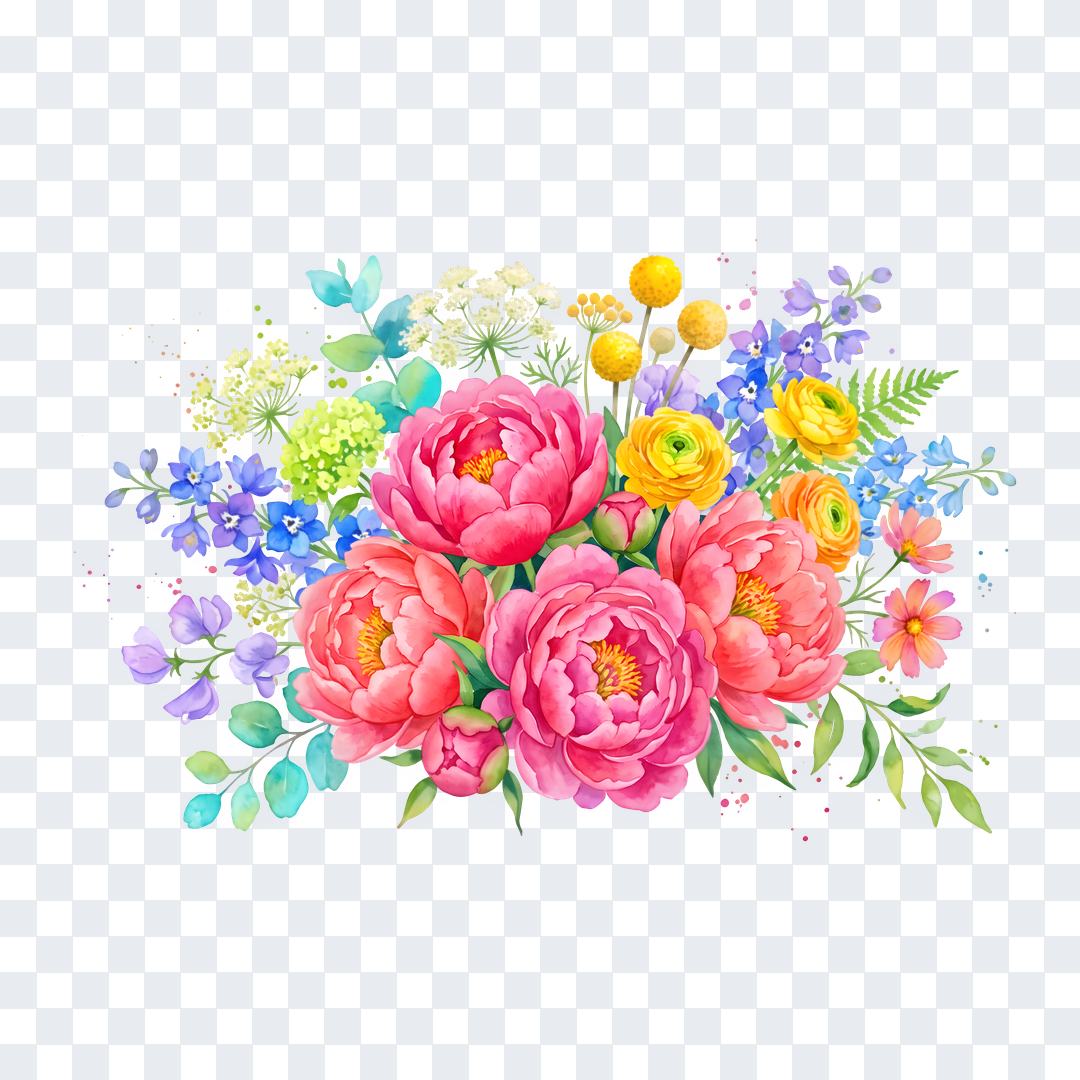
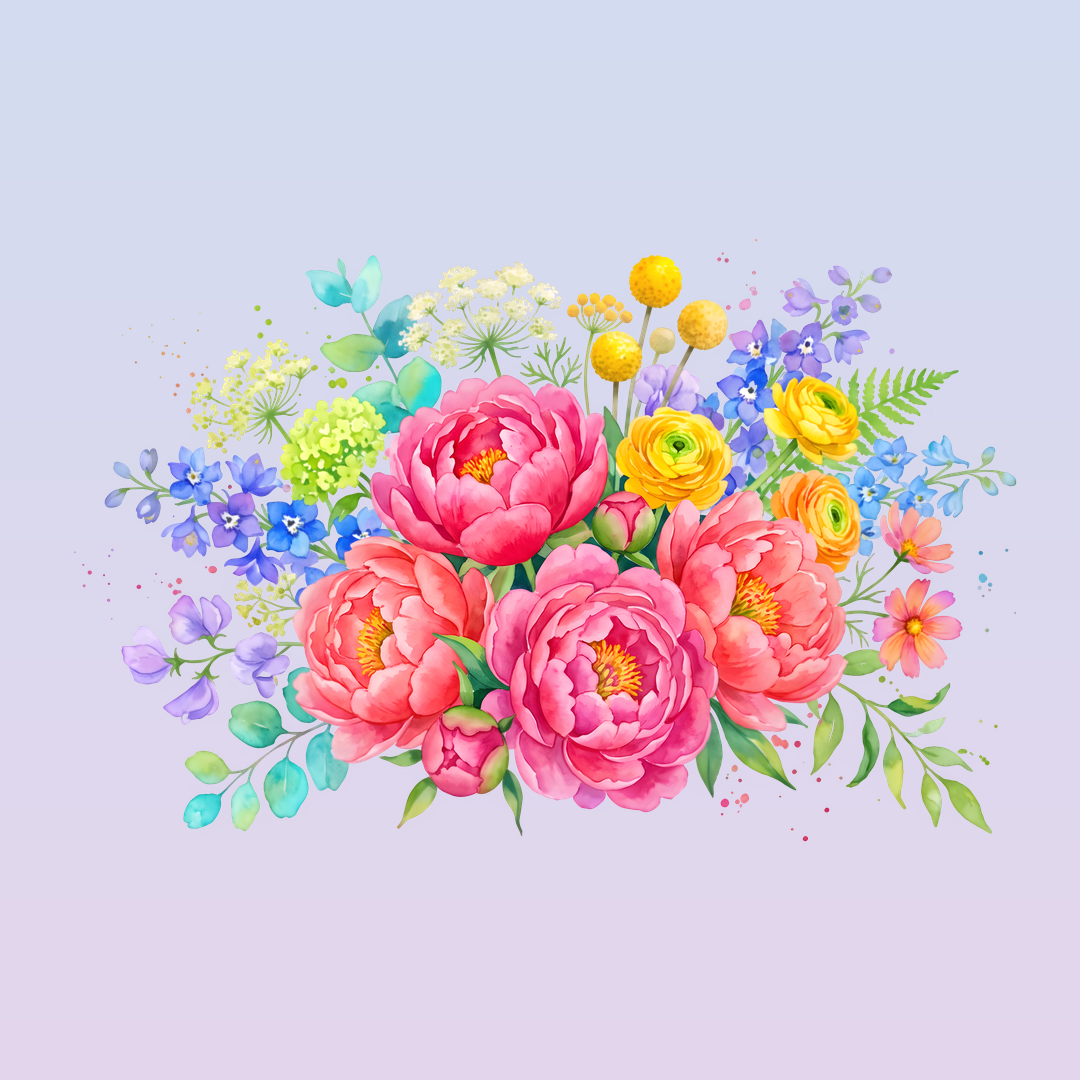 BeforeAfter
Sound familiar?
You open Midjourney (or ChatGPT, or wherever you make your art), and the clipart it hands you is gorgeous. Then you go to actually use it, and:
- The background looks transparent but isn't. There's a white box the moment it lands on a coloured page.
- The edges have a faint white halo you only spot after it's printed.
- It's too small to print sharp, so it turns out blurry on a mug or a wall print.
- Every file is named "image_47," and the pack looks messy before a buyer even opens it.
So you bounce between Canva to cut the background, another tool to upscale, and you rename every file by hand. One pack, and there goes your whole evening.
And while it sits half-finished, it isn't earning. List it rough to save time and you risk the refund, or the three-star review because a buyer's print came out blurry. Every hour on cleanup is an hour you're not making your next pack. A shop with fewer finished products is a shop making fewer sales.
It doesn't have to be that way. Picture dropping your whole raw pack in, pressing one button, and getting back clean transparent PNGs at a true 300 DPI, trimmed, tidily named, and ready to list, in minutes. You get back to the part you love, creating and selling. Your packs look professional, and your reviews stay where they belong.
I get it, because I've spent years in the weeds of digital product shops, auditing over 1,000 Etsy stores and running the back end of a coaching business. I kept watching brilliant sellers lose their evenings to the boring part, or list rough work and pay for it in reviews. That's exactly why I built Clipart Prep Studio: one tool that does the whole tedious part in a click.
Why cleaning it up by hand never really works
Here's the real reason it takes so long: AI tools are built to generate art, not to make it sale-ready. So every image lands with the same problems, and no single everyday tool fixes all of them. Canva removes a background but exports low-res and hides real transparency behind Pro. An upscaler enlarges but roughens the edges. So you end up stitching three or four tools together, every single time.
Meet the One-Click Sale-Ready System
Clipart Prep Studio runs your whole pack through one pass that does every step in the right order: it removes the background cleanly, clears the white halo, upscales to a true 300 DPI, trims the empty space, and renames every file into a tidy, numbered set. What used to be four tools and an evening is one button and a few minutes.
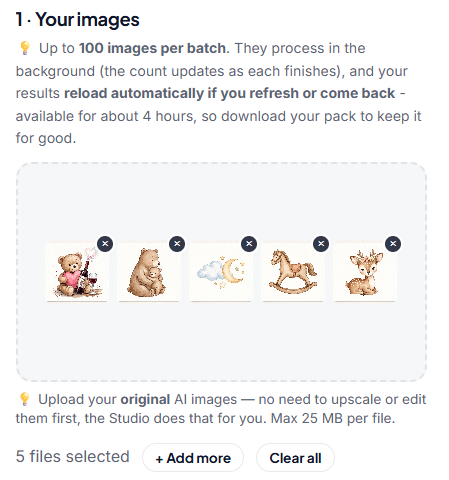
Upload your pack
Drag in a single image or a whole pack, up to 100 files. PNG, JPG, WebP or TIFF.
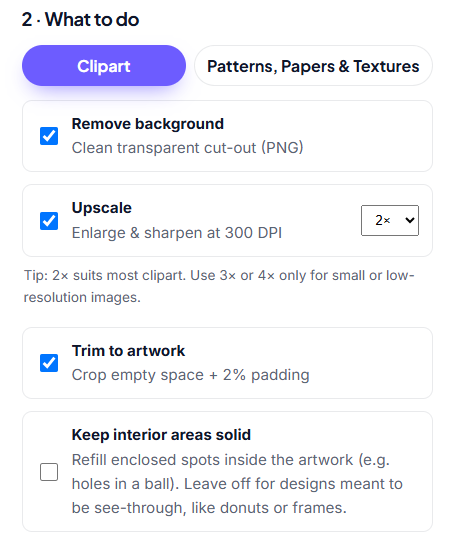
Choose what to do
Remove background, upscale, set 300 DPI and trim to the artwork, all toggled on by default.
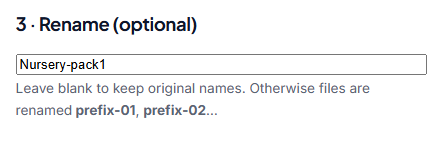
Name your files (optional)
Set one base name and the whole batch is renamed yourname-01, yourname-02, and on.
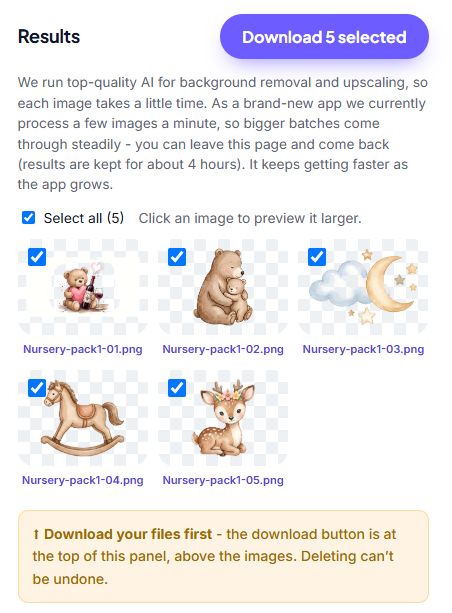
Download sell-ready
Grab your prepped, neatly named files and list them the same day you made them.
Watch a whole pack get prepped
A quick walkthrough of the Studio, start to finish - upload, one click, and download your sell-ready files.
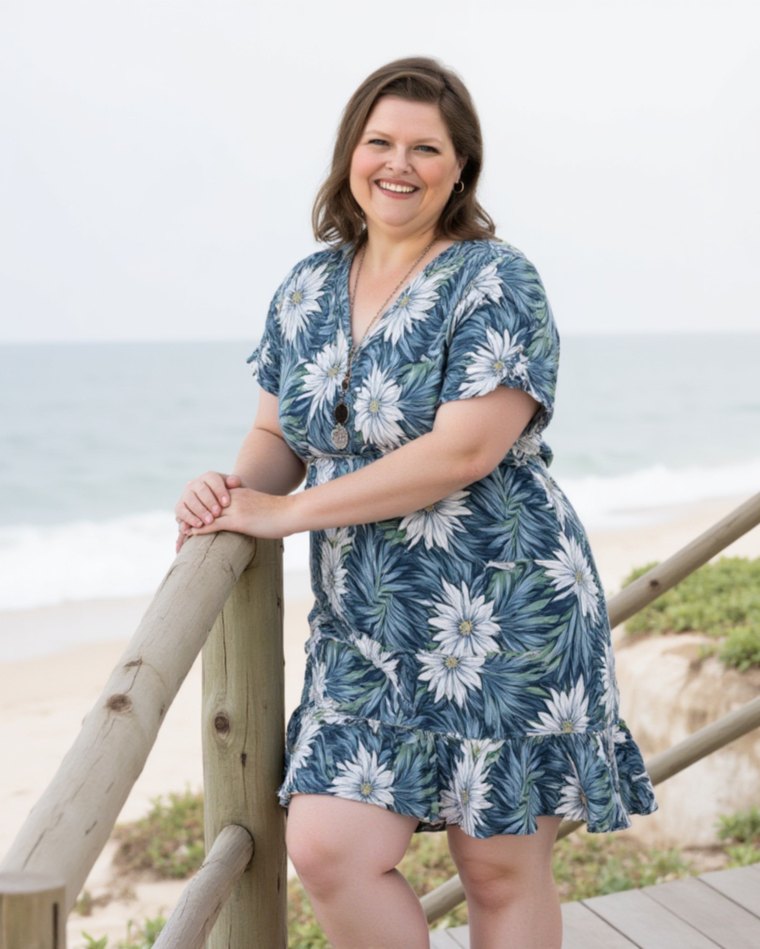
Liz, founder and digital product seller. I've audited over 1,000 Etsy shops, and I come from a background in systems and operations, which is exactly why I built this to be one click, not five tools.
I loved creating clipart. I hated everything after.
I'd bank up designs because I genuinely loved the creative part. But knowing I still had a mountain of prep before I could list anything? That dread was real. Background removal, upscaling, converting DPI, renaming every file, one at a time.
I just wanted it all done for me. I went looking for something that handled the whole workflow end to end. Nothing did, so I built it myself.
Clipart Prep Studio is the tool I wish had existed. Built by a clipart seller, for everyone who'd rather spend their time creating than cleaning up, whether you sell packs or design with your own AI art.
Save the money, the time, and the effort
Everything you'd normally piece together from separate apps, in a single click.
Save money
One subscription from $10. The separate single-job tools for just background removal and upscaling run around $59 a month combined.
Save time
A 100-file pack drops from around 75 minutes of clicking to about 8. Upload, one click, download.
Save effort
No exporting between apps, no manual renaming, no fiddly cropping. Upload your raw AI art, download files ready to sell or use.
Everything you get, in one click
Clipart Prep Studio replaces the stack of separate tools you'd normally juggle - so you spend your time creating and listing, not cleaning up and renaming files.
Best-in-class background removal
State-of-the-art cut-outs that stay crisp even on pale, wispy, or watercolour AI art. The quality your products deserve.
Print-ready 300 DPI
Every file comes out upscaled (up to 4×) and stamped at 300 DPI - listable straight away, with no separate upscaling step to remember. The cream on top.
Bulk file renaming
AI tools spit out names like image_8471.png. Renaming a 100-file pack by hand is slow and maddening - this auto-names the whole batch (yourname-01, -02, …) as it processes.
Auto-trim + padding
Crops the empty space around your artwork and adds even 2% padding - tidy, consistent files with zero manual cropping. Replaces the Photoshop batch-trim step entirely.
Batch the whole pack
Drop in dozens of files and process them all in one go - consistent output, named and ready to upload.
Split a sheet into separate files
AI handed you a page with a dozen designs on it? Upload the sheet and it finds each element, cuts them out, and preps every one into its own transparent, sale-ready file.
Built-in editing suite
Not happy with a cut-out? Touch up any result right in the app - paint the original back with the Restore brush, or erase the extra bits. No other software needed.
Included free on every plan
Extra tools thrown in on every plan, right down to the $10 Hobby plan. They don't touch your image credits, so use them as much as you like.
PNG to SVG converter
Turn your designs into editable, recolourable SVGs for Canva and Cricut. Free and unlimited, it doesn't touch your image credits.
Seamless pattern maker + checker
Make a pattern tile with no visible joins, then verify it's truly seamless before you sell it. Build repeating patterns from a single element too.
Transparency & DPI checkers
Confirm a file is genuinely transparent and hits 300 DPI before you list it, so there's no guesswork about whether it's print-ready.
Real sellers, in their own words
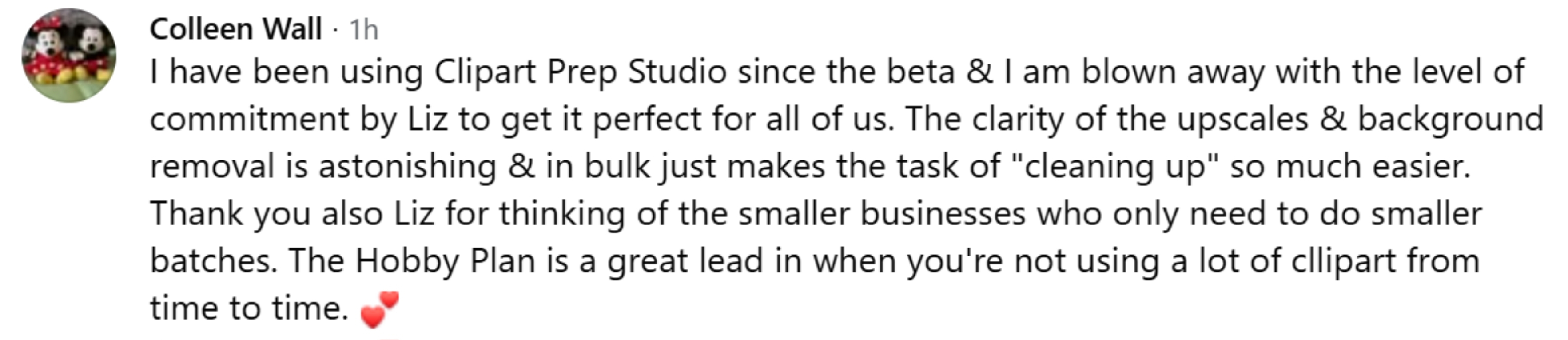
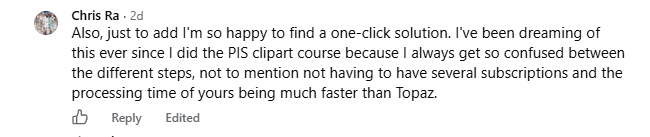
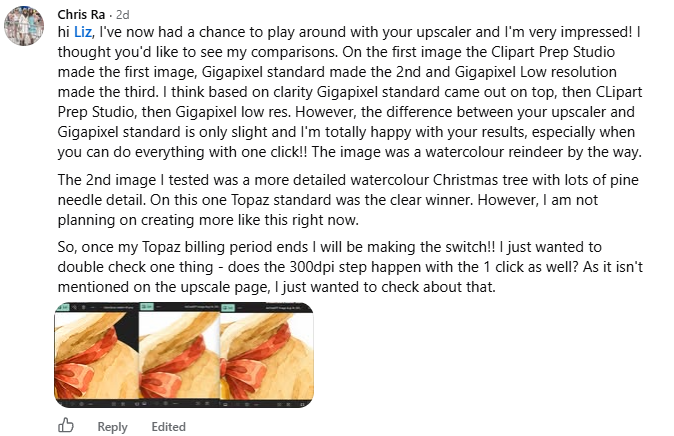
Straight from the group, unedited. Including one seller's own side-by-side against Topaz and Gigapixel.


One app instead of a toolbox
Everything you’d normally piece together from separate tools - background removal, upscaling, print-ready 300 DPI, and bulk renaming - in a single click, for less than the cost of just one of them.
| Clipart Prep Studio | backgroundcut.co | Topaz Gigapixel | |
|---|---|---|---|
| Background removal | - | ||
| Up to 4× upscaling | - | ||
| Print-ready 300 DPI export | - | - | |
| Auto-trim + 2% padding | - | - | |
| Bulk file renaming | - | - | |
| Split a sheet into separate files | - | - | |
| Built-in image editor (touch-ups) | - | - | |
| Free SVG converter (Canva/Cricut) | - | - | |
| Seamless pattern maker + checker | - | - | |
| Transparency & DPI checkers | - | - | |
| Built for digital product sellers | - | - | |
| Monthly price | From $10 | $30 | $29 |
Their way: ~$59/mo across two tools - and you still set the DPI and rename every file by hand. Your way: from $10/mo, one click, done.
That's roughly 253 clipart packs (about 15 images each), each one background-removed, upscaled, trimmed, renamed and saved as a print-ready 300 DPI PNG.
Just want clean clipart for your own designs?
Planner pages, stickers, invitations, cards, product mockups. Generate your own AI clipart, then get print-ready, background-free files in one click, ready to drop straight into Canva. The Hobby plan is built for exactly this, from $10 a month.
Same powerful tools on every plan
Every plan includes the full toolkit - background removal, up to 4× upscaling, 300 DPI export, auto-trim, bulk renaming, and batch processing. Just pick the monthly volume that fits your shop.
✦ New here? Test the quality first - your first 5 images are free, no card needed.
75 images every month
- Best-in-class background removal
- Up to 4× upscaling
- 300 DPI export
- Auto-trim + padding
- Bulk file renaming
- Batch processing
- Split a sheet into separate files
- Free SVG converter
- Seamless pattern maker + checker
350 images every month
- Best-in-class background removal
- Up to 4× upscaling
- 300 DPI export
- Auto-trim + padding
- Bulk file renaming
- Batch processing
- Split a sheet into separate files
- Free SVG converter
- Seamless pattern maker + checker
700 images every month
- Best-in-class background removal
- Up to 4× upscaling
- 300 DPI export
- Auto-trim + padding
- Bulk file renaming
- Batch processing
- Split a sheet into separate files
- Free SVG converter
- Seamless pattern maker + checker
1,500 images every month
- Best-in-class background removal
- Up to 4× upscaling
- 300 DPI export
- Auto-trim + padding
- Bulk file renaming
- Batch processing
- Split a sheet into separate files
- Free SVG converter
- Seamless pattern maker + checker
Every feature on every plan - only the monthly volume changes. Cancel or switch anytime.
Still on the fence? Let's clear it up
“I don't have time to learn another tool.”
You won't. Upload, press one button, download. If you can drag a file, you can use it.
“Will it work on my art?”
It's built for illustrated and AI clipart specifically, the wispy, watercolour, fine-detail work that trips up photo tools. Test it on 5 of your own images free before you decide.
“Do I need Photoshop or design skills?”
No. There's nothing to install and nothing to learn. It runs in your browser.
“I don't sell packs, I just use clipart in my own products.”
Still for you. The Hobby plan is made for designers prepping the graphics that go into planners, invitations and printables.
“What if it's not for me?”
Cancel anytime in one click, and switch plans up or down whenever your volume changes.
Frequently asked questions
Everything you need to know about prepping and selling your AI art. Can't find your answer? Send us feedback from your dashboard.
What does Clipart Prep Studio do?
In one click it preps your AI-generated images for sale: removes the background, upscales to a print-ready size at 300 DPI, trims to the artwork with even padding, and bulk-renames the whole batch. It also includes free, unlimited tools to convert designs to editable SVGs (for Canva and Cricut) and to make seamless repeating patterns, with a built-in checker. It replaces the stack of separate tools you'd normally juggle.
I don’t sell clipart. Is this still for me?
Yes. If you generate your own AI clipart to use in your own products, like planners, invitations, cards, stickers or product mockups, Clipart Prep Studio cleans it up for you: background removed, upscaled, set to 300 DPI, and ready to drop straight into Canva. The Hobby plan (75 images, $10/month) is built for exactly that.
What image files and sizes can I upload?
PNG, JPG, WebP or TIFF, up to 25 MB per file and up to 100 images per batch. Tip: upload your original AI images - there's no need to upscale or edit them first, the Studio does that for you (and smaller originals process faster).
How good is the background removal?
We use a state-of-the-art AI model tuned for AI-generated art, so it keeps the full design intact - even pale, wispy, or watercolour details that cheaper tools strip away. Testers have found it cleaner than Canva, Photoshop and the usual background-removal sites on tricky images.
I asked the AI for a transparent background - why do I still need background removal?
Because asking the AI for a transparent background changes the picture, not the file. Most AI tools can't actually export transparency, so they just paint a plain background that looks transparent (usually white, grey, or even a drawn checkerboard) - the file still has a solid background baked in. And the few tools that can export a transparent PNG tend to leave rough or fuzzy edges, faint halos or stray bits that don't look professional on a listing or a dark product. Running it through the Studio guarantees a true transparent PNG with clean, crisp edges - every image, every time - so your whole pack is consistent and ready to sell.
How does upscaling work, and what is 300 DPI?
Just pick what you're making - Clipart, Wall art & POD, or Maximum - and we size each image to suit, at a crisp 300 DPI(the print-ready standard). Smaller images are AI-upscaled and already-large ones are kept as they are, so a mixed batch all comes out the right size. Prefer to set it yourself? A fixed 2×, 3× or 4× is available under Advanced.
Can I make papers, patterns and textures an exact size like 12×12?
Yes. Switch to Patterns, Papers & Textures mode and set your square size in inches (1 to 20). Your design is upscaled to that exact size at 300 DPI - so 12 × 12 gives you a print-ready 3600 × 3600px file, the size marketplaces expect for digital papers. It works best with square designs.
Can I turn my clipart into an SVG (for Canva or Cricut)?
Yes - the built-in SVG converter turns your PNGs into editable vector SVGs, ready for Canva and Cricut. It runs right in your browser, lets you pick up to 4 colours, and it's free and unlimited (it doesn't use your image credits).
Can I make seamless repeating patterns?
Yes - the Seamless Pattern maker can turn a finished design into a seamless tile, or build a brand-new pattern from your own elements (mix up to 4), with a built-in checker so you know it truly tiles before you list it. Free and unlimited too.
Do the SVG and Seamless tools use my image credits?
No. They run in your browser and are free and unlimited on any active plan - even if you've used up your monthly images.
What does “auto-trim” do?
It crops the empty space around your artwork and adds an even 2% of padding - giving you tidy, consistent files with no manual cropping. Turn it off for seamless patterns (where you want the art to run edge-to-edge).
My cutout isn’t perfect - can I fix it?
Yes. Click Edit on any result to open the built-in editor: use the Restore brush to paint back anything the remover trimmed too far, erase stray bits, then save - your download updates automatically.
Will I lose my results if I refresh or close the tab?
No - your prepped pack reloads automatically when you refresh or come back to the Studio, for about 4 hours. After that, files are automatically deleted from our servers, so download your pack to keep it permanently.
How many images can I process?
Each plan includes a monthly image allowance - Hobby 75, Starter 350, Pro 700, Studio 1,500. It's a hard cap, so there are never surprise overage charges; if you run out, you're simply prompted to upgrade. All plans include every feature - only the monthly volume differs.
How does billing work? Can I cancel anytime?
Plans are billed monthly through Stripe (secure checkout - we never see your card). You can cancel anytime from your dashboard via “Manage billing”, and you keep access until the end of your current paid period. See our Terms for full details.
Is my artwork private? How long are files kept?
Yes. Uploaded and processed images are automatically deleted after 4 hours (or instantly when you click “Done - delete”), and your artwork is never used to train any AI. See our Privacy Policy for more.
An image failed or a download didn’t start - what do I do?
It's usually a momentary hiccup. If an image fails, click Retry failed below the results (large images sometimes need a second go). If a download doesn't start, wait a few seconds and click it again. Your files are safe on our servers for 4 hours either way.
How do I get help?
Use the Give feedback button in your dashboard to reach us - we read every message and are happy to help. Your feedback also directly shapes what we build next.
Want step-by-step walkthroughs? Browse our guides →
Your clipart, sale-ready in one click
No white boxes. No blurry prints. No evenings lost to cleanup. Just packs that look professional and are ready to list. Every evening lost to cleanup is one you won't get back, so try it free today and see the quality on your own art before you pay a cent.
Prep my first 5 freeNo card needed · Cancel anytime · Then from $10/month, every tool included